
Every round logged, every missed round known.
A fire watch in FireInspection360 is a record your department can stand behind: rounds logged from a phone with a photo and a position, each one judged on time, late or missed, and an overdue round flagged on the department's list the moment it is owed. The same module runs free for any fire department at FireWatchLog.com.

A clipboard on the riser room door is not a record.
A response-first RMS knows the property and the incident. It has nowhere to put the rounds, the person walking them or the round that was skipped at three in the morning, so the watch ends up on paper and the paper ends up in a drawer.
Nobody is watching the watch
A paper log, or a log in a module nobody opens, tells you nothing until someone drives out and reads it.
Every round is logged from a phone, judged against its interval, and flagged on the department's list when it is overdue.
The proof is a clipboard on the riser
When the insurer or the fire marshal asks who walked the rounds on the night of the fire, a paper log may have gone with the building.
Who logged each round, when, what they found, the photo and where they stood are on the record, exportable as a spreadsheet and printable as a log.
A watch starts at five on a Friday
Setting one up means typing instructions, printing a sheet and explaining it at the door, so it is set up late or not at all.
A template fills in the reason, the instructions and the rounds; the handout carries a QR code and an access code; the watchers join from their own phones before the contractor leaves.
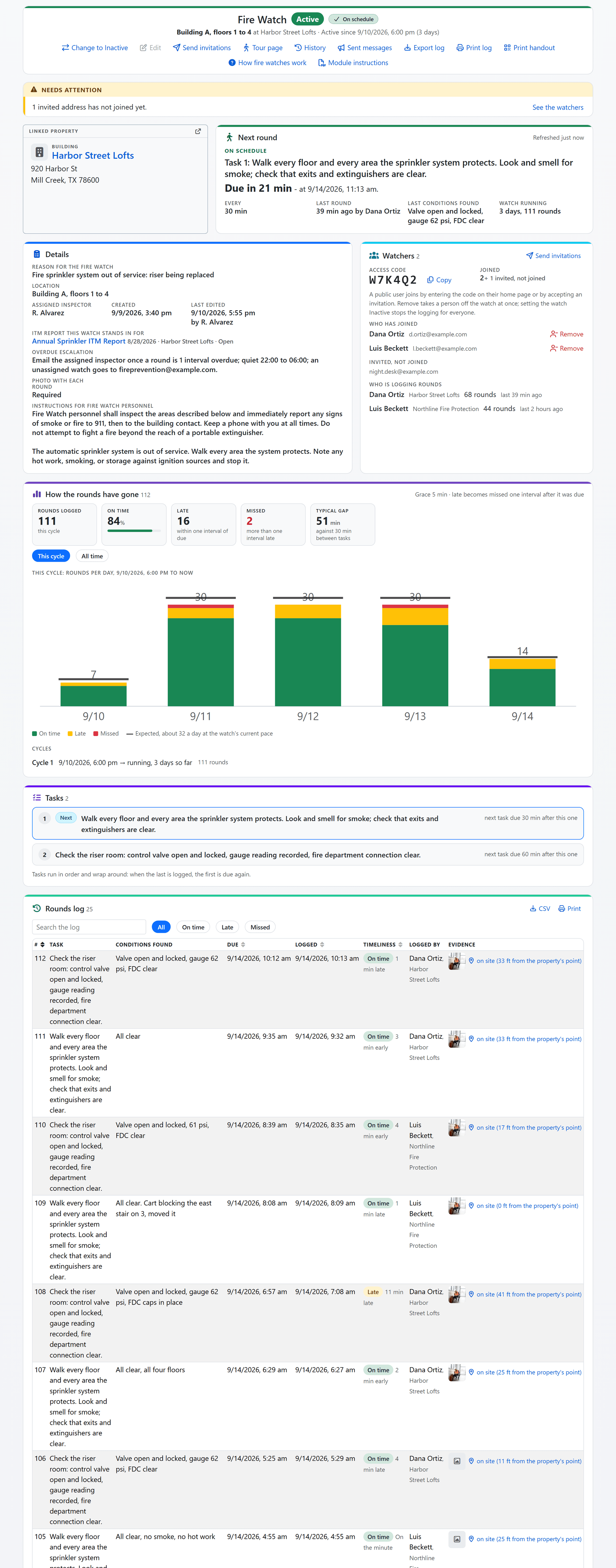
Shown with sample data. Click the image to see the whole page.
One page says whether the watch is being kept.
Every watch is a record on the property: why it exists, the rounds to walk, who is on it and how every round has gone. While the watch is Active the page refreshes itself every minute and the next round counts down from the server's clock, so what you see is what is happening.
- Needs attention: sentences the record writes for itself: a round overdue, nobody joined, no inspector assigned, a watch running past your long-running threshold, each beside the one control that answers it.
- The next round: which task, due when, overdue by how much, who logged the last round and what they found.
- On time, late or missed: every round judged against its task's own interval and your grace period, tallied for this cycle and for all time, and charted by hour, day, week or month with the rounds expected at the watch's pace drawn on every bar.
- Linked, never retyped: the property, the ITM report the watch stands in for and the case it was opened from.
- Cycles kept: set the watch Active again for the next impairment and every earlier run of rounds stays on the record as its own cycle.
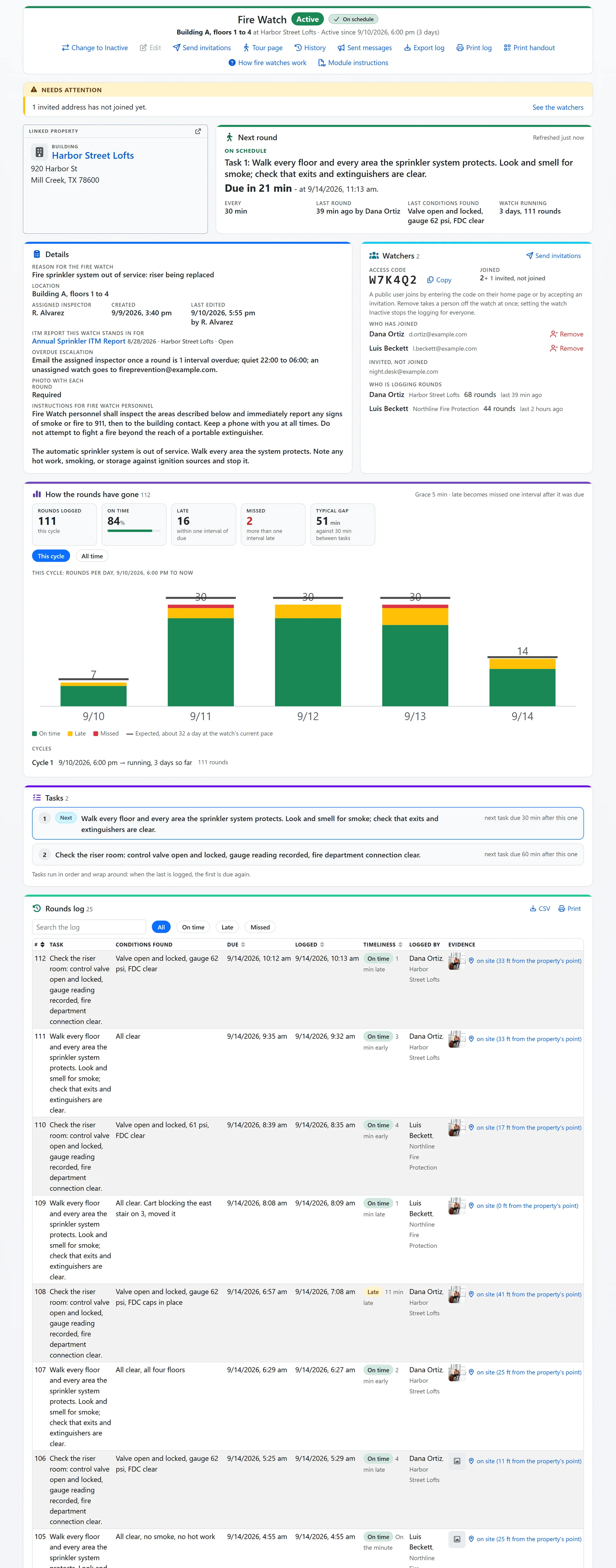
Shown with sample data. The rounds log continues below the tasks.
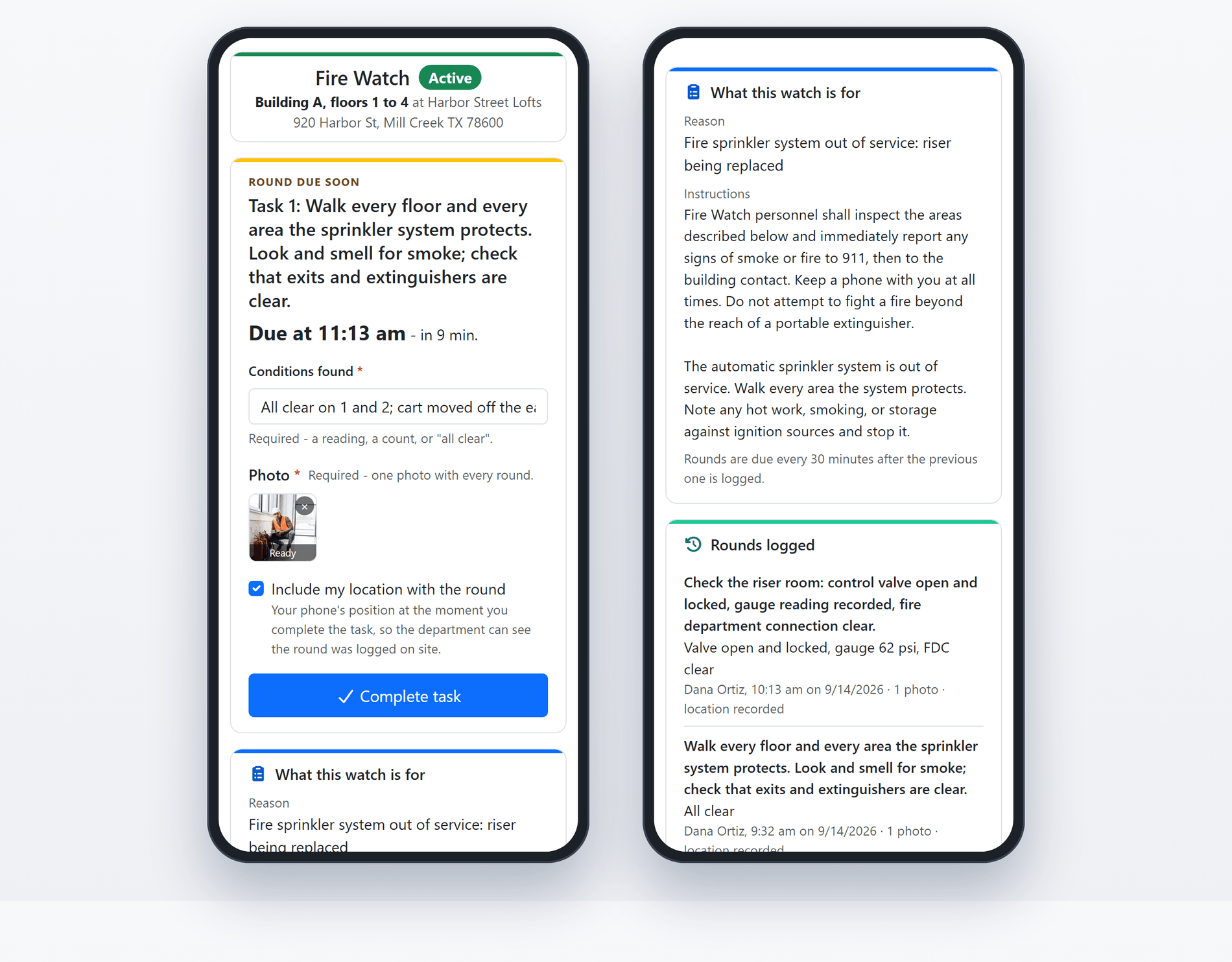
Shown with sample data: the same phone page at two scroll positions. Click the image to see it up close.
The person on watch logs each round from a phone.
The watcher joins with the access code or an emailed invitation and opens one screen: the task that is due, when it is due and a box for what they found. There is nothing else to learn.
- What they found: a required note with every round: a reading, a count or "all clear".
- A photo when you require it: a per-watch setting. On means exactly one photo with every round; off means no camera at all.
- Where they stood: with the watcher's permission the phone's position rides along, and the record says how far from the property's own point the round was logged.
- Built for a stairwell: a dropped connection retries the save, and the note being typed survives the page's own refresh.
- Only a person ends a watch: nothing sets a watch Inactive on its own. An Active watch nobody is walking stays Active and reads overdue, which is the point.
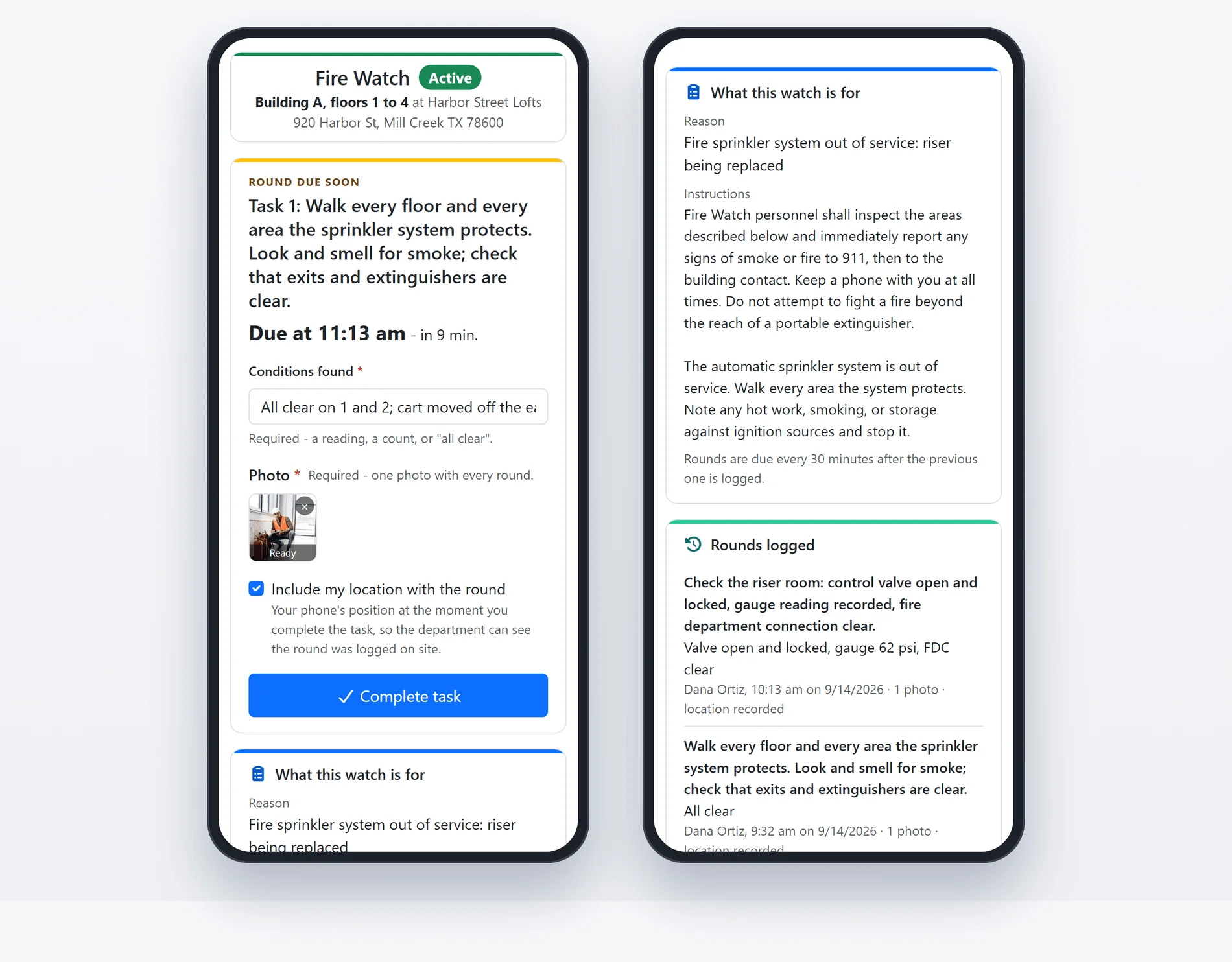
Shown with sample data.
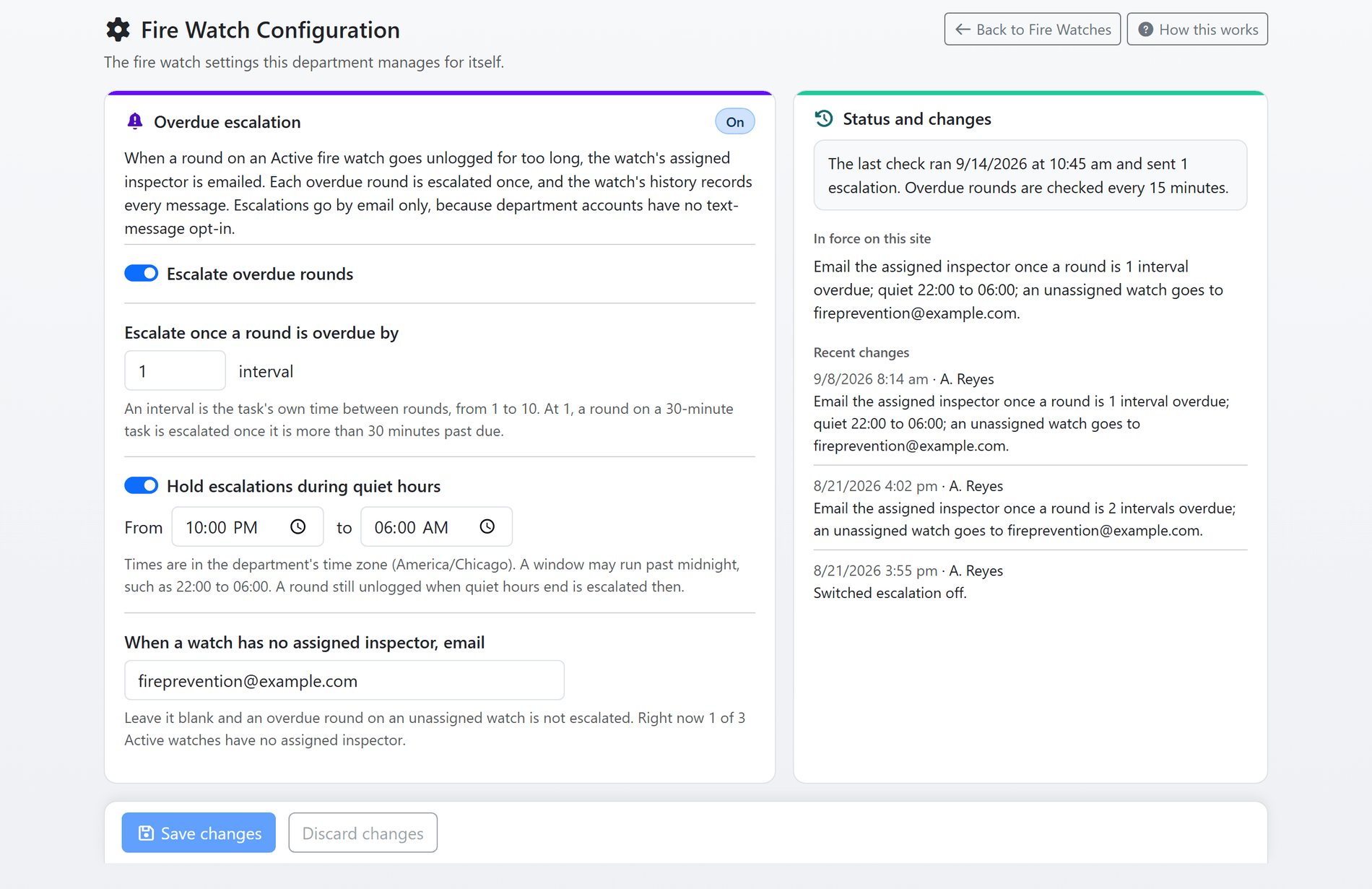
Shown with sample data. Click the image to see the whole page.
A missed round reaches the department, once.
Switch escalation on and an overdue round is emailed to the watch's assigned inspector, or to a fallback address when nobody is assigned. Each owed round is escalated once: when the watcher logs a round and lapses again, the next one is escalated afresh, and the message says so.
- Your threshold: escalate once a round is one to ten intervals past due, the interval being the task's own.
- Quiet hours: hold escalations overnight in your time zone; a round still unlogged when they end is escalated then.
- On the record: every message sent about a watch is kept on the watch, and the configuration page shows when the last overdue check ran and what it sent.
- Managed by the department: an Administrator sets it on the Fire Watch Configuration page and reads the rule in force back as one sentence.
- Included with FireInspection360: escalation is the one part of the module the free FireWatchLog.com site does not carry.
Shown with sample data.
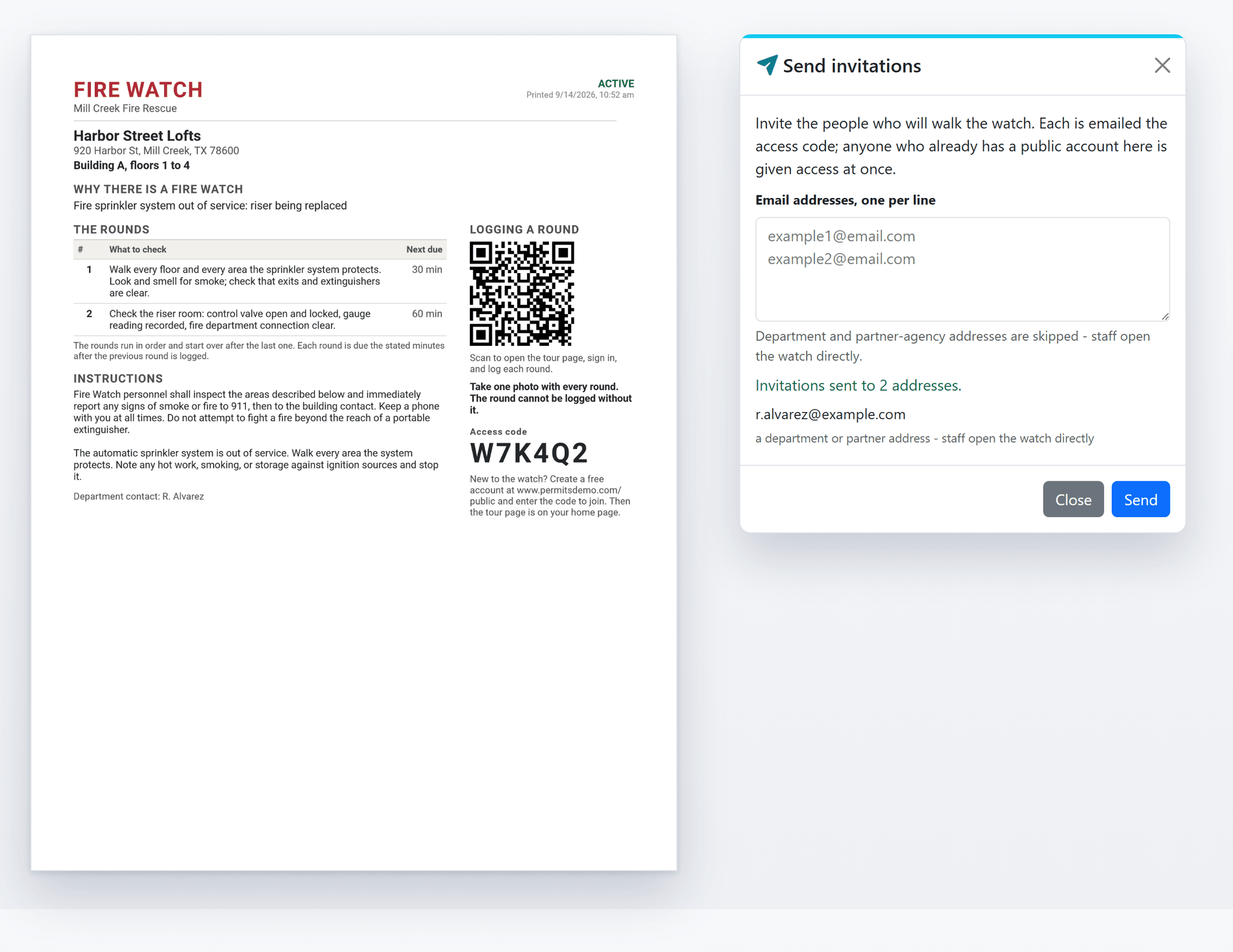
Shown with sample data. The sheet is the PDF the record prints. Click the image to see the whole page.
Set up in minutes, hand out one sheet.
Start from a template, print the handout for the riser room door and invite the watchers by email. The sheet carries the reason, the rounds, the instructions, a QR code that opens the tour page and the access code for anyone who still has to join.
- Templates: sprinkler impaired, alarm impaired, hot work, special event or your department's own, with the reason, the instructions and the rounds filled in and everything editable before the watch is created.
- The handout: one page built from the same facts as the watch record, with the QR code and the access code shown only while the watch is Active.
- Invitations: type the addresses; each is emailed the code, anyone who already has a public account is given access at once, and department addresses are skipped because staff open the watch directly.
- The first round: set when it is due, or leave it blank for a round due the moment the watch is activated.
- Assigned inspector: the person in your department who owns the watch, and the one an escalation goes to.
Shown with sample data.
And that is only the start
Free at FireWatchLog.com
The same module, offered free to any fire department, without the paid overdue escalation. A department that outgrows it can move to FireInspection360 and run fire watches beside the rest of prevention.
Partner agencies read the same page
A partner agency opens the same watch record, read-only, with none of the controls.
Export and print the log
Every round as a spreadsheet with its timeliness, photos, coordinates and distance from the property, or a printed log with the watch named above it.
Notes for the department
Who was called and what the contractor said, kept on the watch and never shown to the people walking it.
Analytics
Rounds logged, where the watches stand, whether the rounds were walked on time, how long the watches ran, why they were opened, properties under repeat watch and who logged the rounds, for any period.
A long watch says when it is long
A record keeps its newest 500 rounds. When a watch reaches that, the page says so, every count reads as a floor, and the export is offered before more are dropped.
See a fire watch walked from your own phone.
A one-hour walkthrough with a fire prevention expert, or the demo site right now.