
The work between inspections, counted.
Phone calls, walk-ins, pre-development meetings, complaints and code questions, logged in a few taps against the property or permit they concern, and counted beside the inspections and plan reviews FireInspection360 already records. Your office finally has a number for its whole week.

In most systems, the work between inspections is invisible.
A fire marshal's office spends much of its week on the phone, at the counter and in meetings. None of it is an inspection or a permit, so none of it is counted, and the budget conversation starts without it.
A meeting is filed as a fake inspection
With nowhere else to put a consultation or a complaint call, the office creates an inspection for it. Every inspection count and pass rate is inflated, and a call about no particular address still has nowhere to go.
An activity needs no property. Link one when it concerns a property, permit, inspection or case, and move the inspection types your department used as a workaround into the log with one tool.
A call back is a sticky note
A promise made on the phone lives on a desk or in someone's memory, and the one that falls through is the one the public remembers.
A follow-up has an owner and a due day, shows as a count in the sidebar and on the inspector's homepage, and can email its owner the morning it is due.
Staffing is argued from anecdotes
Without a count of the time each kind of task takes, a request for another inspector rests on how busy the office feels.
Hours by activity type and by person, beside the work the system records by itself, printed as a staffing report for the board.
Shown with sample data. Click the image to see the whole page.
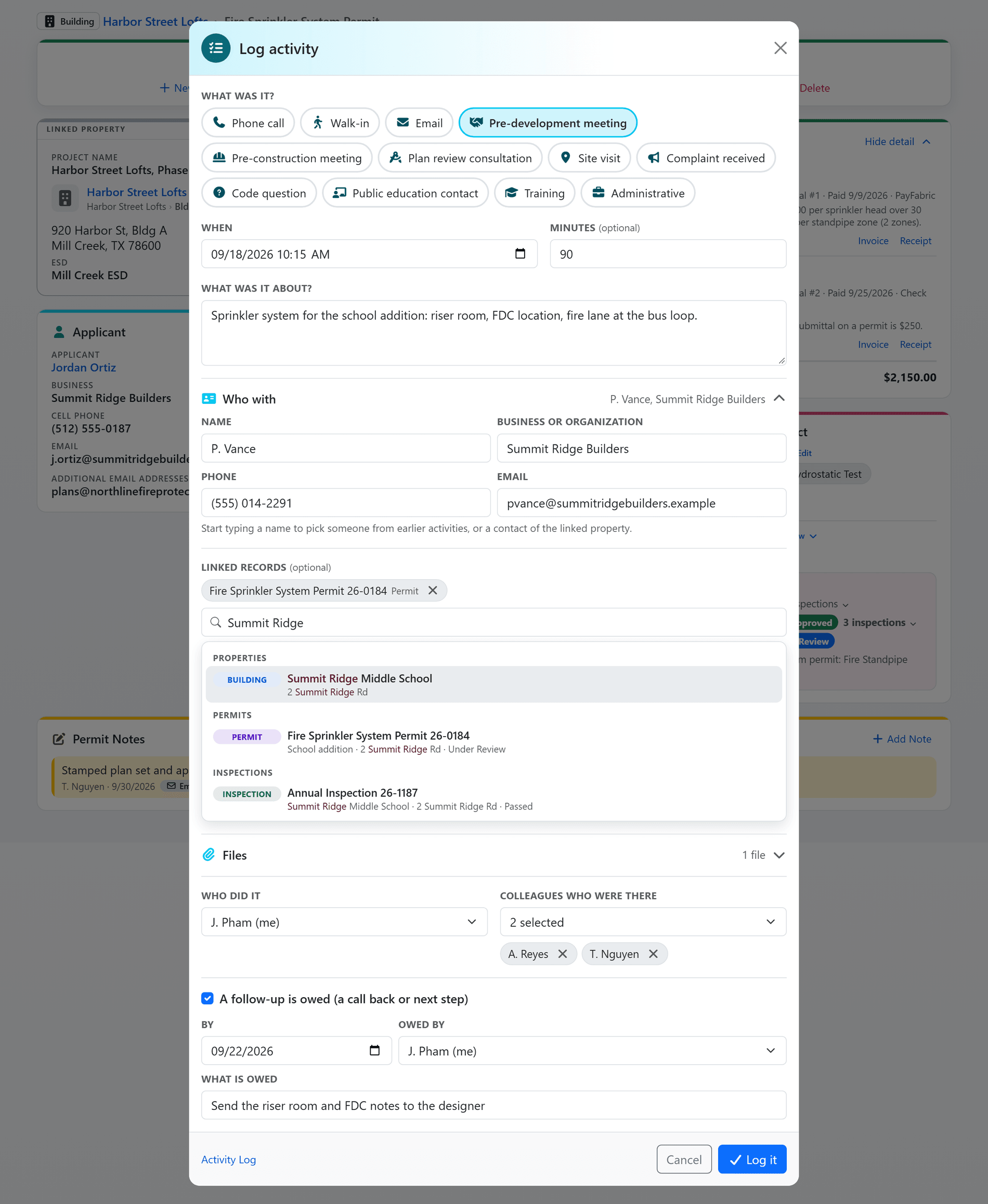
One button on every page, one short form.
The Log activity button sits in the header of every page. Pick a type and its usual minutes fill in, find the property, permit, inspection or case the way the header search finds anything, note who you spoke with, and save. Opened from a record's page, the log links that record for you.
- Your department's own types: it starts with twelve, from Phone call and Walk-in to Pre-development meeting, Complaint received and Code question, each with its usual minutes. An administrator renames, adds, reorders and switches types off, and a type that has been used is switched off, never deleted.
- Link anything, or nothing: a property, permit, inspection or case, all optional, so a code question about no particular address is logged like any other.
- Who you spoke with: a name, phone and email typed in, or picked as you type from earlier activities and from the linked property's contacts.
- Minutes, colleagues, files: time spent is optional and filled from the type, the people who were there are named, and any file can be attached.
- On the record it concerns: the property, permit and inspection pages carry an Activity card, so a pre-development meeting is on the permit that arrives three months later.
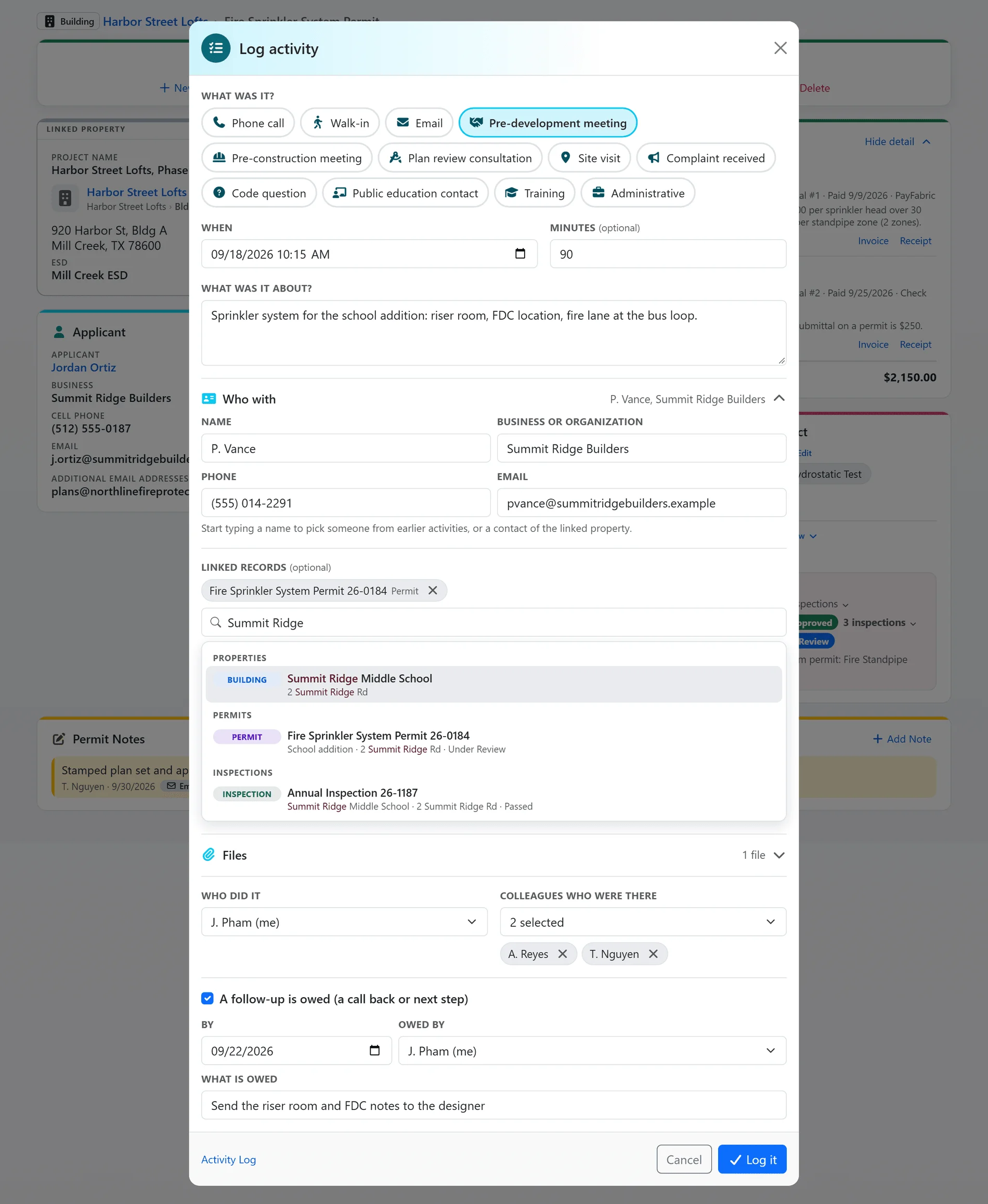
Shown with sample data.
Shown with sample data. Click the image to see the whole page.
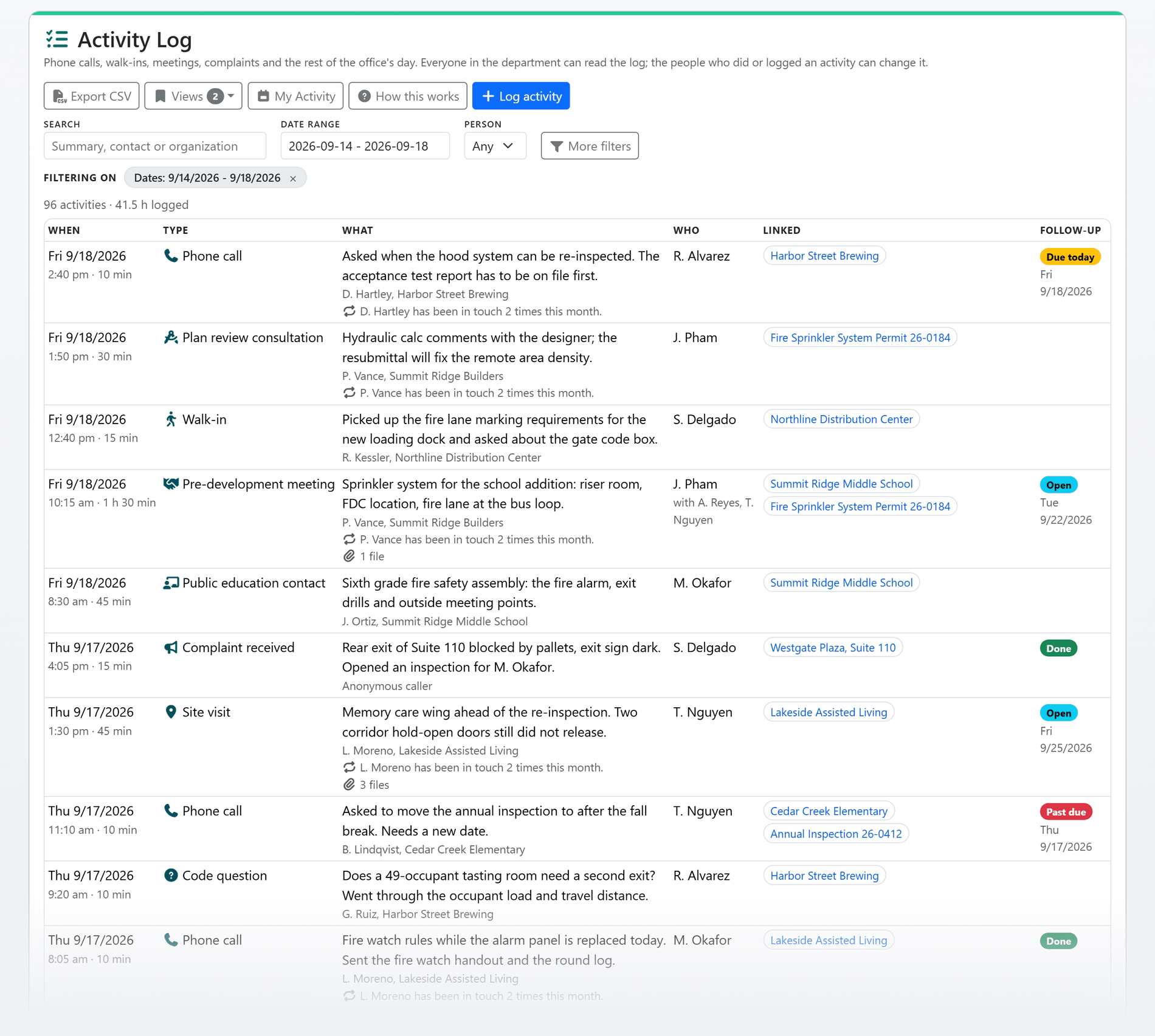
Every call, meeting and complaint in one list.
Every agency user reads the whole department's log. Filter it by date range, person, activity type and follow-up, save the filters you use as a view, and export the rows to CSV.
- Filters like every FireInspection360 list: search, date range and person in the row, the rest behind More filters, and chips that say what the list is filtered on.
- Follow-ups with an owner: due today, past due and done, each on its row, with a sidebar count of the follow-ups due to you and to the office.
- Complaints that lead somewhere: a complaint about a property opens an inspection, or a case where your department runs code enforcement, and the two stay linked. The complaint still counts as intake and the inspection counts as an inspection.
- Repeat contacts: a row says when the same caller has been in touch several times that month, and the activity opens onto every one of them.
- Edited by the people who did it: logging needs the Activity Log Edit permission, people edit their own activities, and an administrator can edit any.
- Saved views and CSV: the filters you use every week are one click away, and any list exports as it is filtered.
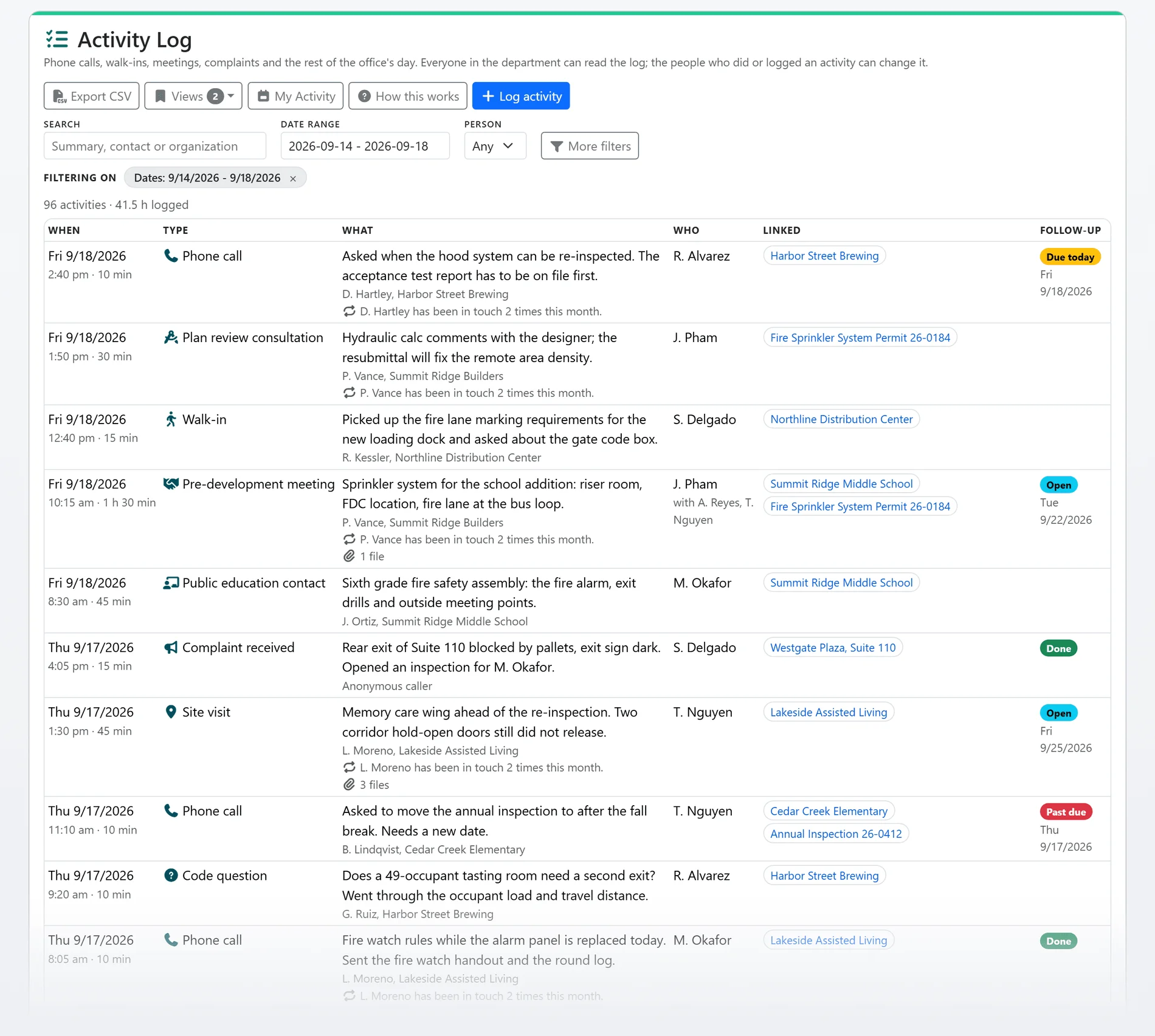
Shown with sample data.
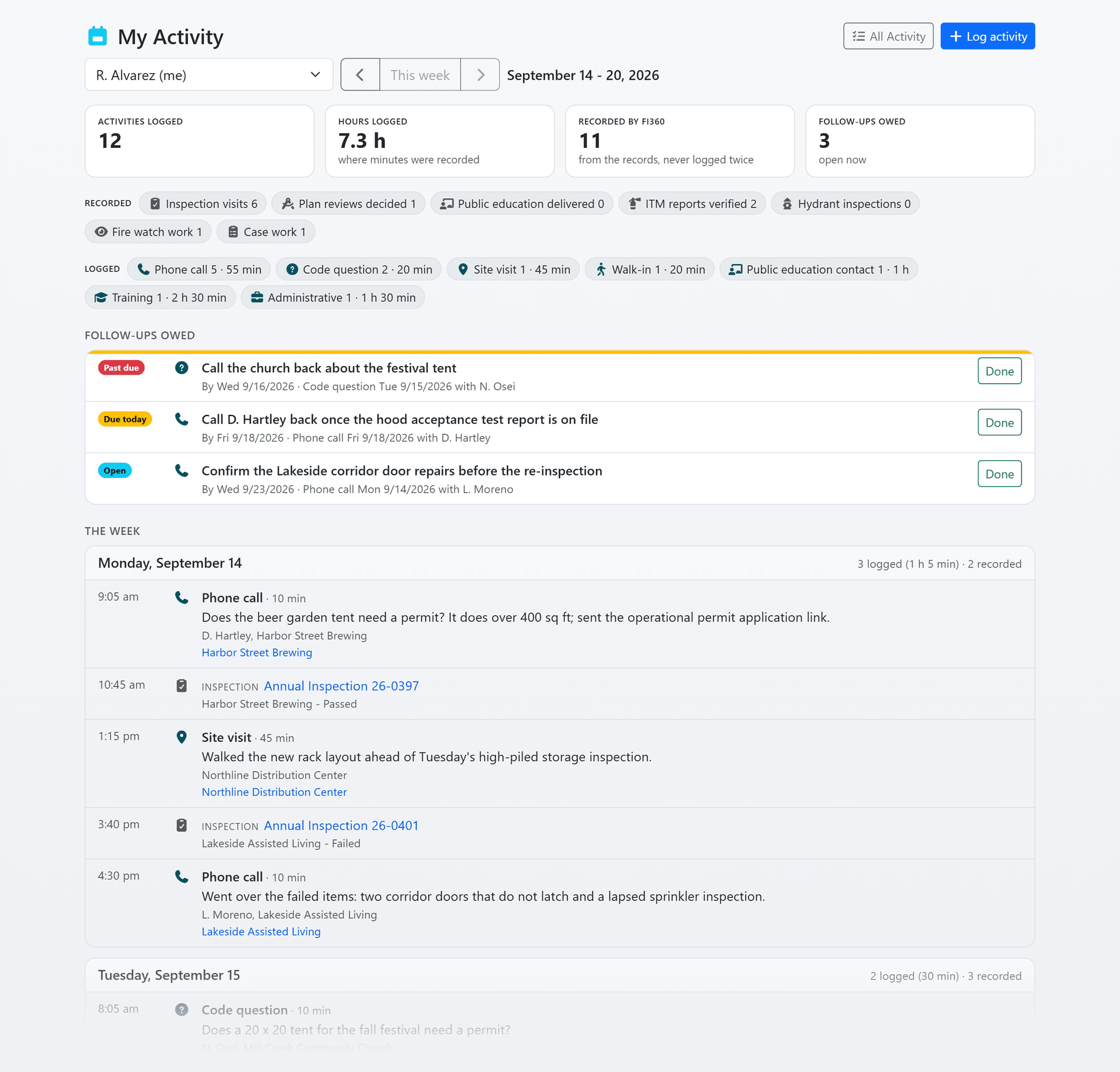
Shown with sample data. Click the image to see the whole page.
A person's week: what they logged beside what the system recorded.
My Activity puts a person's logged activities beside the work FireInspection360 already records for them: inspection visits completed or assisted, plan reviews decided, public education delivered, ITM reports verified, hydrant inspections, fire watches started and ended, and days of case and investigation work. Nothing is entered twice.
- Recorded work counts itself: each kind of recorded work is read from the module that does it, by that module's own rule for what is done.
- Only the modules you use: a kind of work shows only where your department uses its module, and investigation work only to people allowed to see investigations.
- Any person, any week: pick the week and the person. The whole office reads the same numbers.
Shown with sample data.
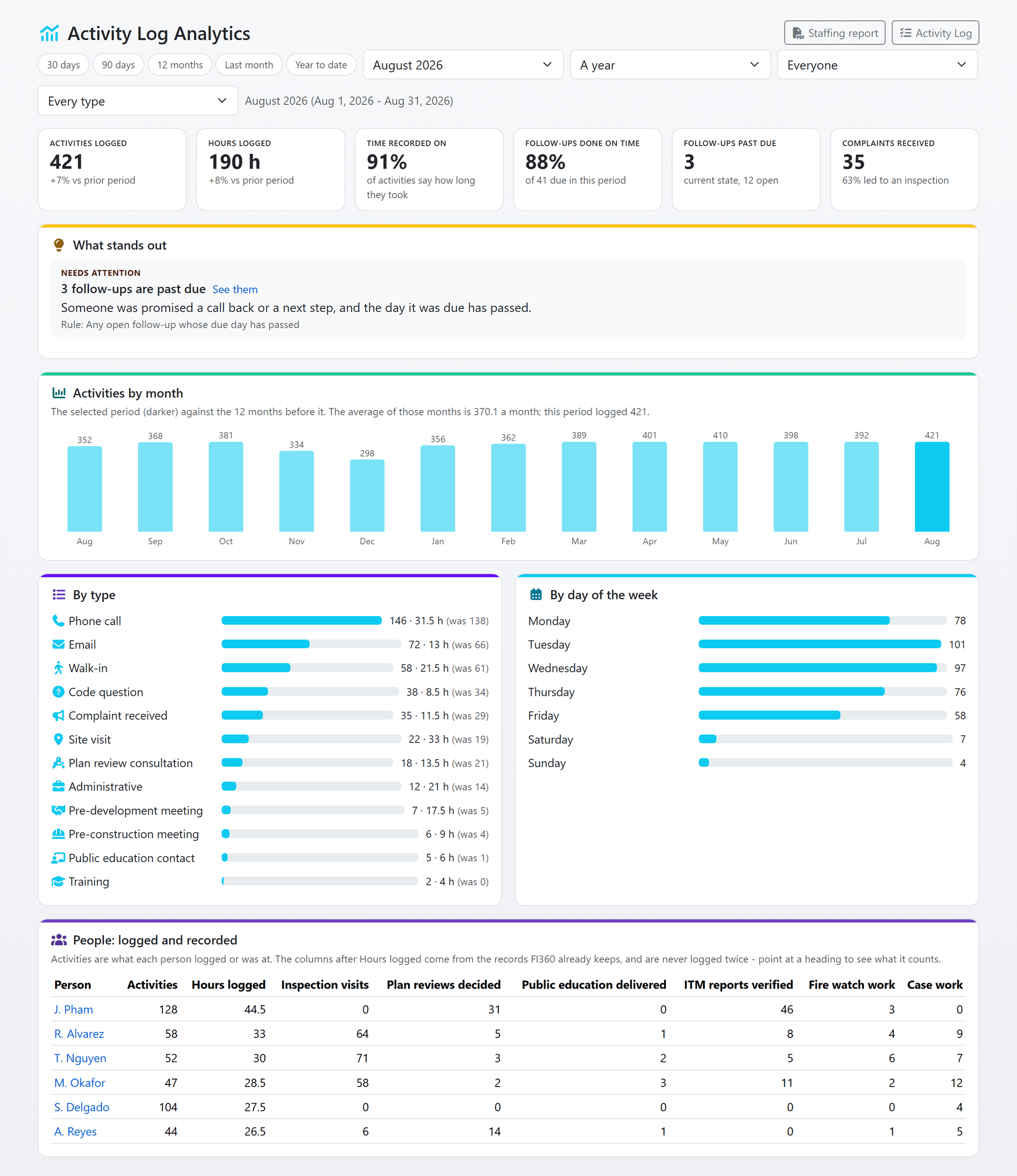
Shown with sample data. Click the image to see the whole page.
Hours by type and by person, ready for the board.
The Analytics page counts a month or a calendar year: activities and hours by type against the period before, the share of follow-ups done on time and the ones past due, complaints that led to an inspection, the busiest days of the week, and a people table of logged hours beside recorded work.
- A month or a whole year: pick a named month or a calendar year, and every tile and table describes that period.
- Logged beside recorded: each person's logged hours beside the inspection visits, plan reviews and other work the system recorded for them.
- The staffing report: one button prints the period as a PDF, a one-sheet handout first and the full tables after. It shows the hours; the staffing argument is yours.
Shown with sample data.
And that is only the start
Moving fake inspections
Name the inspection types your department used for consultations, meetings and complaint calls, preview what would move, and move them into the log. An inspection with a violation, a fee, a permit, a case, files or an unfinished visit stays an inspection.
Follow-up reminders
Switch on a morning email to a follow-up's owner on the day it is due, and a weekly digest of past-due follow-ups to the supervisors your department picks.
Raise a bill
A billable activity type raises a General Billing invoice from the activity, with the day and the time spent on the invoice line.
A nudge on the inspection form
Start an inspection of a type your department now logs as an activity and the form offers to log it instead. It never refuses the inspection.
Follow-ups on the homepage
The inspector's homepage shows a Follow-ups due card beside Due today, and hides it while nothing is due.
A guide in your department's words
"How this works" explains the log with your own activity types and the inspection types you have moved, one click from the list.
See the Activity Log with your own activity types.
A one-hour walkthrough with a fire prevention expert, or the demo site right now.